Requirements: 8.1+
Overview: Spotify is now free on mobile and tablet. Listen to the right music, wherever you are.
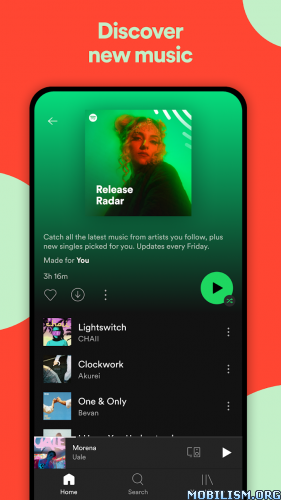
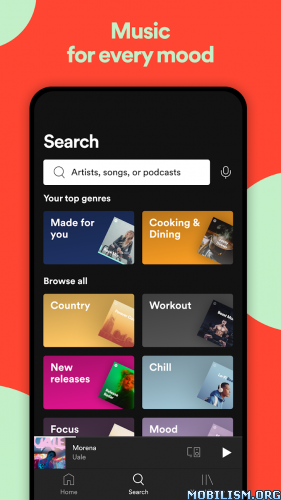
Spotify is now free on mobile and tablet. Listen to the right music, wherever you are.
With Spotify, you have access to a world of music. You can listen to artists and albums, or create your own playlist of your favorite songs. Want to discover new music? Choose a ready-made playlist that suits your mood or get personalized recommendations.
Listen for free on mobile
• Play any artist, album, or playlist on shuffle mode
Listen for free on tablet
• Play any song, any time
Spotify Premium features
• Play any song, any time on any device–mobile, tablet, or your computer
• Download music for offline listening.
• Enjoy amazing sound quality.
• No ads – just uninterrupted music.
• No commitment – cancel any time you like.
★★★ ReVanced Xposed by H4lfLif3 ★★★
❏ Mod Info:
• Unlocked Next Track
• Unlocked Previous Track
• Unlocked Seeking FWD/BWD
• Unlocked / Able to Select Any Songs & Albums
• Unlocked Repeat All
• Unlocked Shuffle
• Disabled Force Shuffle
• Disabled Audio Ads
• Disabled Video Ads
• Disabled Visual Ads
• Disabled Third-Party Ads
• Song lyrics
• CPUs Arch: arm64-v8a
• Screen DPIs: 213dpi, 320dpi, 480dpi, 640dpi.
• Languages: ‘en’ ‘–_–‘ ‘ar’ ‘ar-EG’ ‘ar-MA’ ‘ar-SA’ ‘de’ ‘en-GB’ ‘es’ ‘es-AR’ ‘es-ES’ ‘es-MX’ ‘et’ ‘fi’ ‘fr’ ‘fr-CA’ ‘hi’ ‘hu’ ‘in’ ‘it’ ‘iw’ ‘ja’ ‘ko’ ‘ms’ ‘nl’ ‘pl’ ‘pt’ ‘pt-BR’ ‘pt-PT’ ‘ru’ ‘sv’ ‘th’ ‘tr’ ‘uk’ ‘vi’ ‘zh’ ‘zh-HK’ ‘zh-TW’
⚠ To resolve the empty playlist issue after updating, log out, clear cache and data, and then log in again (continue using email).
• After logging in to the the application, press the flashlight button on your phone – you will then be able to activate the ReVanced Xposed module.
Video : https://www.mediafire.com/file_premium/ … 1.mp4/file
➠ After logging in to the the app, turn on the Flashlight from Control Center, go back to Spotify from Recents and a “Module Management” is showed, enable ReVanced Xposed module and press on “Save & Restart”, turn off the Flashlight and open Spotify app again.
What’s New:
We’re always making changes and improvements to Spotify. To make sure you don’t miss a thing, just keep your Updates turned on.
This app has no advertisements
More Info:
https://play.google.com/store/apps/details?id=com.spotify.music&hl=enDownload Instructions:
https://upfiles.com/3Q9G
Mirrors:
https://rapidgator.net/file/fd4eef88518 … 3.apk.html
ReVanced Xposed (Android 8.1+):
https://upfiles.com/9B9Cqi7B
Mirrors:
https://dgdrive.site/019lmeb1iye4.